Product photography
Studio shots without the studio
Most of what a product shoot costs is setup — the space, the lights, the stylist, the day rate. The photograph itself is the cheap part.
Upload a plain snapshot of what you sell, or describe the shot you want. You get back something you can put on a listing.
Four shots, four prompts
Name the surface, the light and the framing. Those three decide whether a result reads as photography or as a render — far more than any list of quality keywords.
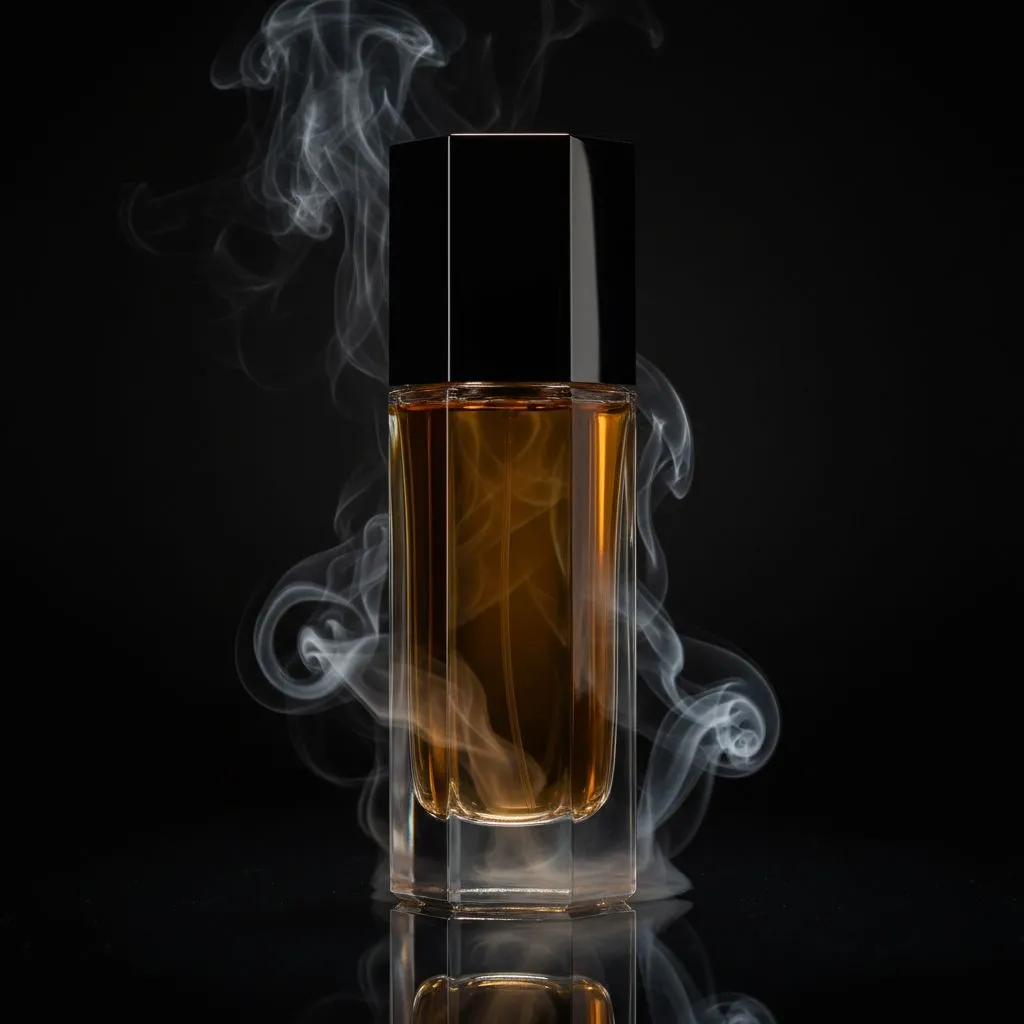
Packshot
Glass, a black sweep and one hard light. The reflection is doing most of the work here.
Prompt
amber perfume bottle on a black reflective surface, single hard key light from the left, drifting smoke, deep shadows, product photography
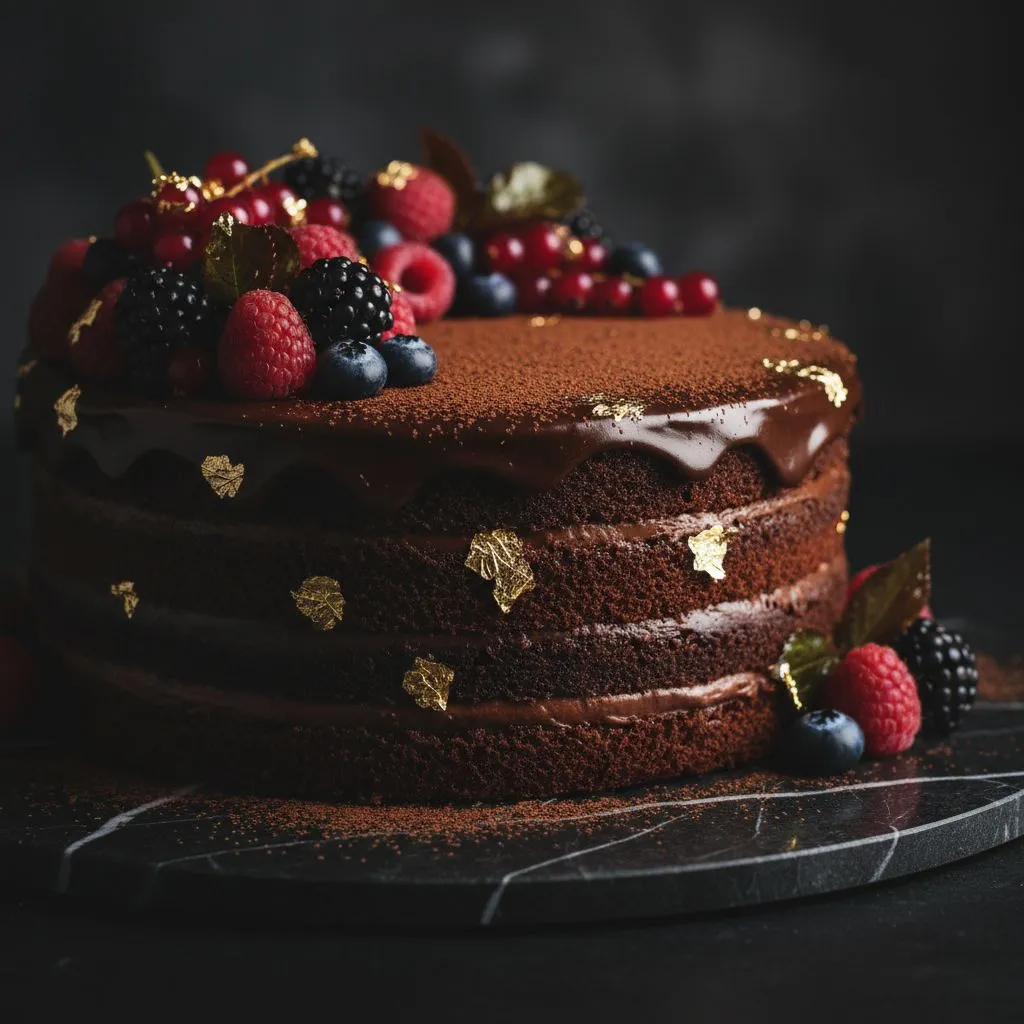
Menu and delivery-app work. Dark surface, warm side light, garnish carrying the colour.
Prompt
chocolate layer cake with fresh berries and gold leaf on dark marble, moody side light, shallow depth of field, food photography
Furniture & interiors
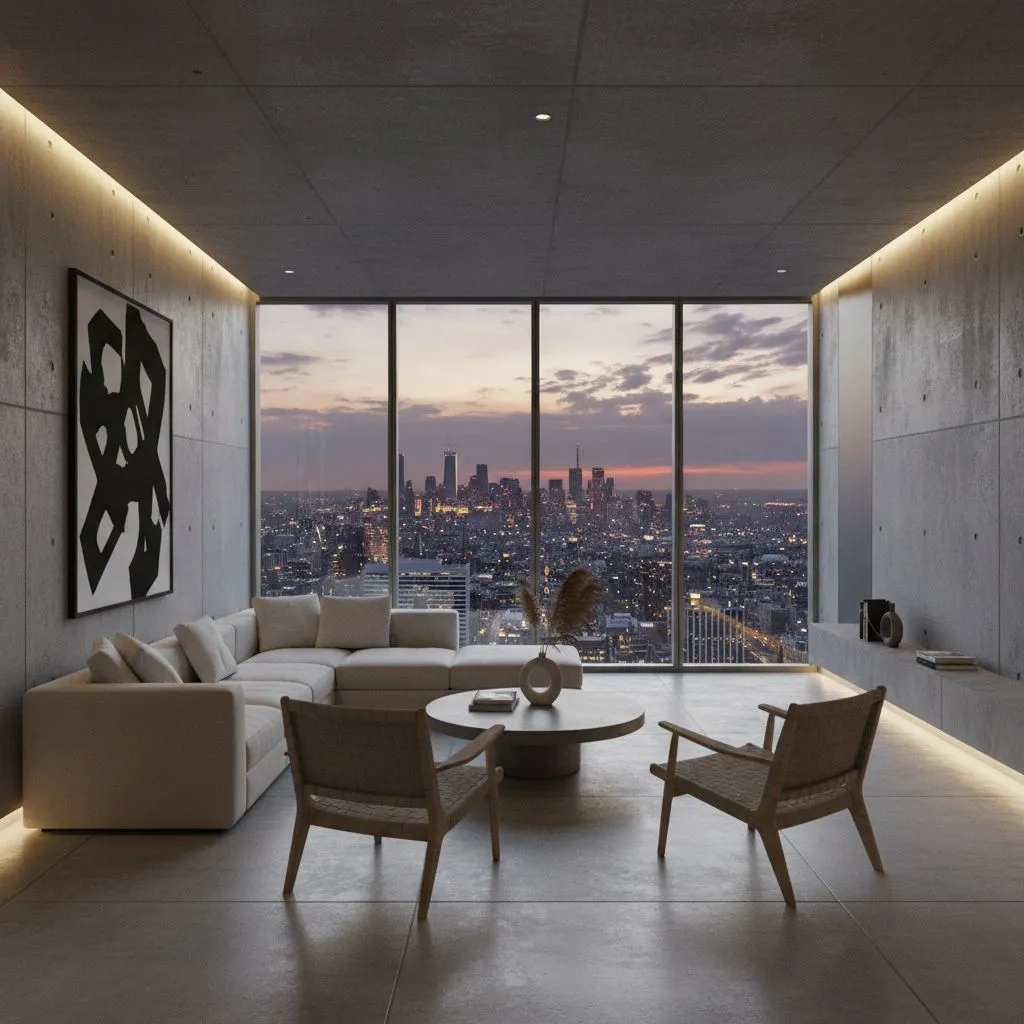
Staging a piece in a room it will never actually be in. Scale and light have to read right.
Prompt
minimalist living room, concrete walls, low sofa and wooden chairs, floor-to-ceiling window with city skyline at dusk, warm cove lighting
Beauty & fashion
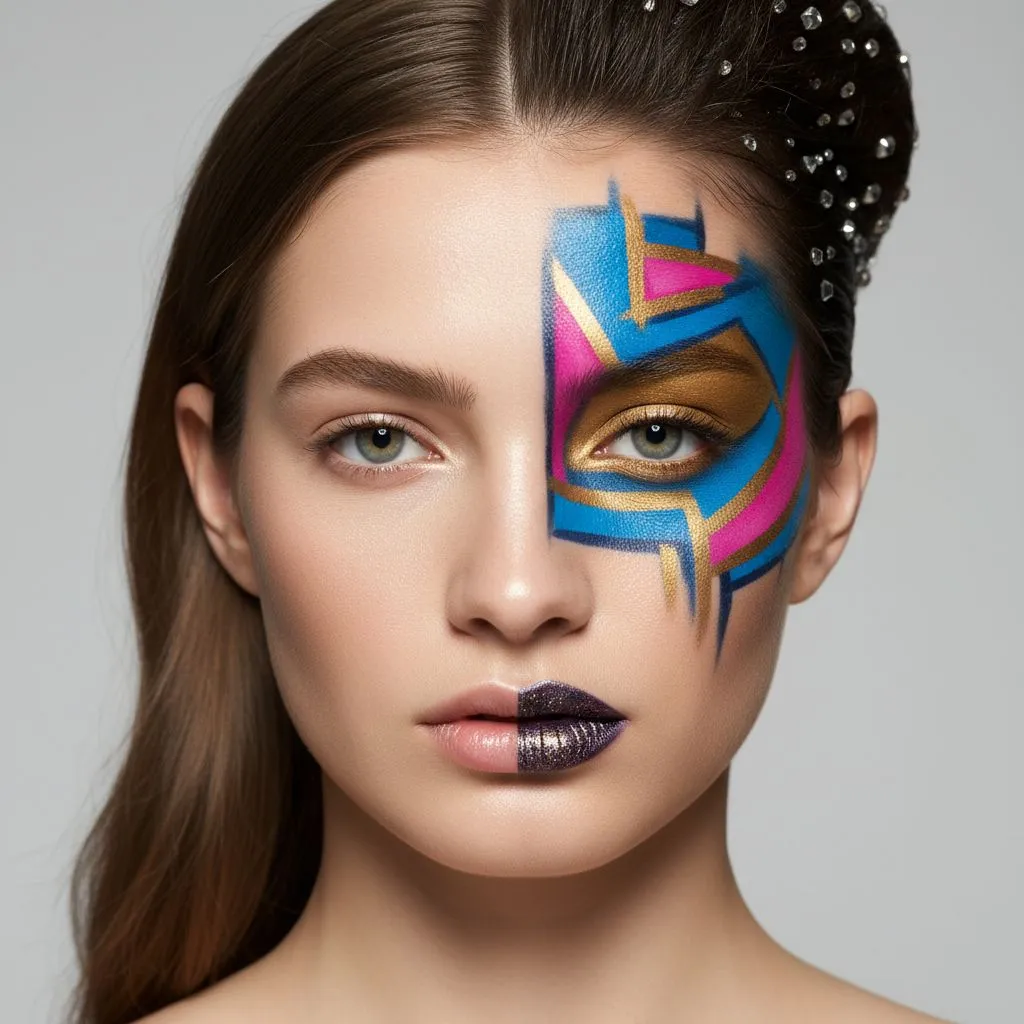
Campaign imagery for cosmetics, where the product is the finish rather than the bottle.
Prompt
beauty portrait, graphic blue pink and gold face paint on one half of the face, clean grey backdrop, soft even studio light, sharp focus on skin texture
When the product needs a person
Clothing, cosmetics and jewelry sell on a body, not on a table. That normally means casting, a model day rate and a release form for every market you advertise in — before anyone picks up a camera. A generated model carries none of that: no booking, no release, no re-shoot when the campaign moves country.
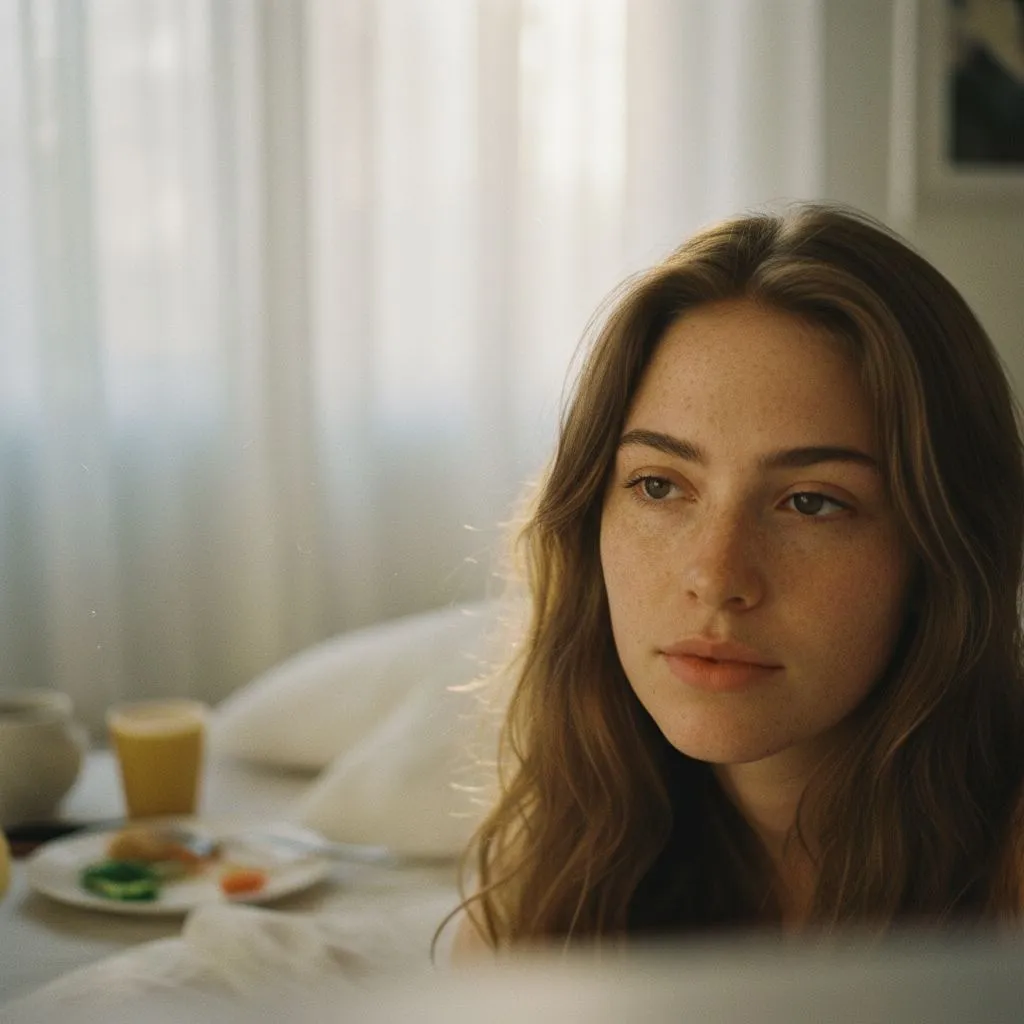
Lifestyle & apparel
The look most clothing and homeware brands actually want: window light, film grain, nobody posing at the camera.
candid portrait of a woman in soft morning window light, breakfast tray in the background, 35mm film grain, shallow depth of field, natural skin texture
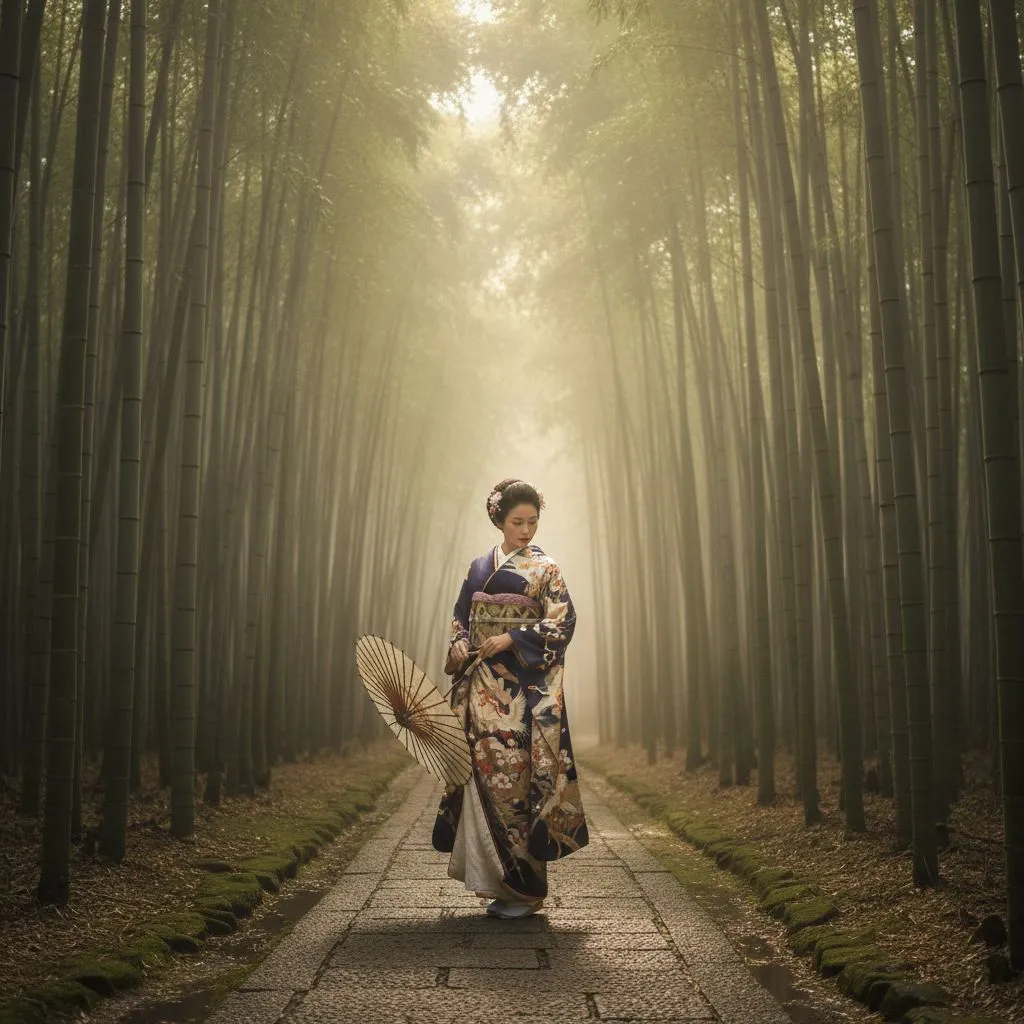
Editorial & campaign
Location editorial without the location. A shoot like this normally means flights, permits and a weather window.
woman in a patterned silk kimono holding a paper parasol, stone path through a misty bamboo forest, backlit morning haze, full-length editorial framing
One caveat worth knowing up front: a generated face is a composite, not a real person, and some marketplaces now ask you to disclose synthetic imagery in listings. Check the rules of the platform you are selling on before you build a whole campaign on it.
How it actually goes
You upload a photo of the product on your kitchen table, pick a category preset, and write one line about where you want it to sit. The first result comes back in under a minute.
It is usually not the one you ship. The light is close but the surface is wrong, or the framing is tighter than your listing needs. You adjust that one thing and go again — three to six attempts for a shot you are happy with is normal, and worth knowing before you start rather than after.
Once a prompt works for one product it works for the rest of the line. That is where the time actually goes back: the second product in a range costs one generation, not another afternoon.
- Full commercial rights to every image
- No watermark, no attribution
- Text-to-image and image-to-image in one place
- Editing models keep the product's shape and labelling
- Output up to 2 MP
- Credits never expire
Where it struggles
Small text. Ingredient lists, dosage panels and fine print on packaging come back garbled more often than not. If the label has to be readable, shoot from a photo and keep the crop off the text.
Exact brand shapes. Text-to-image gives you a plausible bottle, not your bottle. Anything where a customer would notice the difference belongs in image-to-image with a real reference.
Print resolution. 2 MP is plenty for a listing and thin for a catalogue spread. Plan to upscale if it is going on paper.
Hands and people. A hand holding your product is still the hardest thing to get right. Budget more attempts, or crop tighter.
Questions
Can I use these images in my store?
Yes. Everything you generate is yours commercially — listings, ads, catalogues, packaging, social. No watermark, no attribution line.
Do I need to photograph the product first?
Either works. Upload a phone snapshot and the editing models relight it, swap the background and place it in a styled scene. Or write the shot from scratch if the product does not physically exist yet.
Will my product still look like my product?
Starting from a photo, yes — Grok Imagine Edit and Flux 2 Pro hold the shape, colour and labelling while changing everything around it. Starting from text, you get something in the right category rather than your exact item. For engraved jewelry, printed packaging or anything with small text, always start from a photo.
What does it cost?
Pay-as-you-go, no subscription. Packages start at $4.99, an image costs 38-69 credits depending on the model, and credits never expire — so a catalogue you refresh twice a year does not mean paying every month.
What resolution do I get?
Up to 2 MP. That covers marketplace listings, ad creative and web banners. For large-format print, treat the result as a base and upscale it.
How many attempts does one shot take?
Usually three to six. The first result tells you whether the light and framing are right; the rest is adjusting the surface, angle or mood. Budget for that rather than expecting the first image to ship.
Guides
Turn AI art into real income. Learn 7 proven ways to make money with AI image generation in 2026 — from print-on-demand to freelance design services.
Learn how to create stunning product photos for your Etsy, Amazon, or Shopify store using AI. No studio, no photographer, no expensive equipment needed.
Learn how to create professional personal branding visuals with AI — from LinkedIn banners to speaker headshots, thought leadership graphics, and consistent social presence.