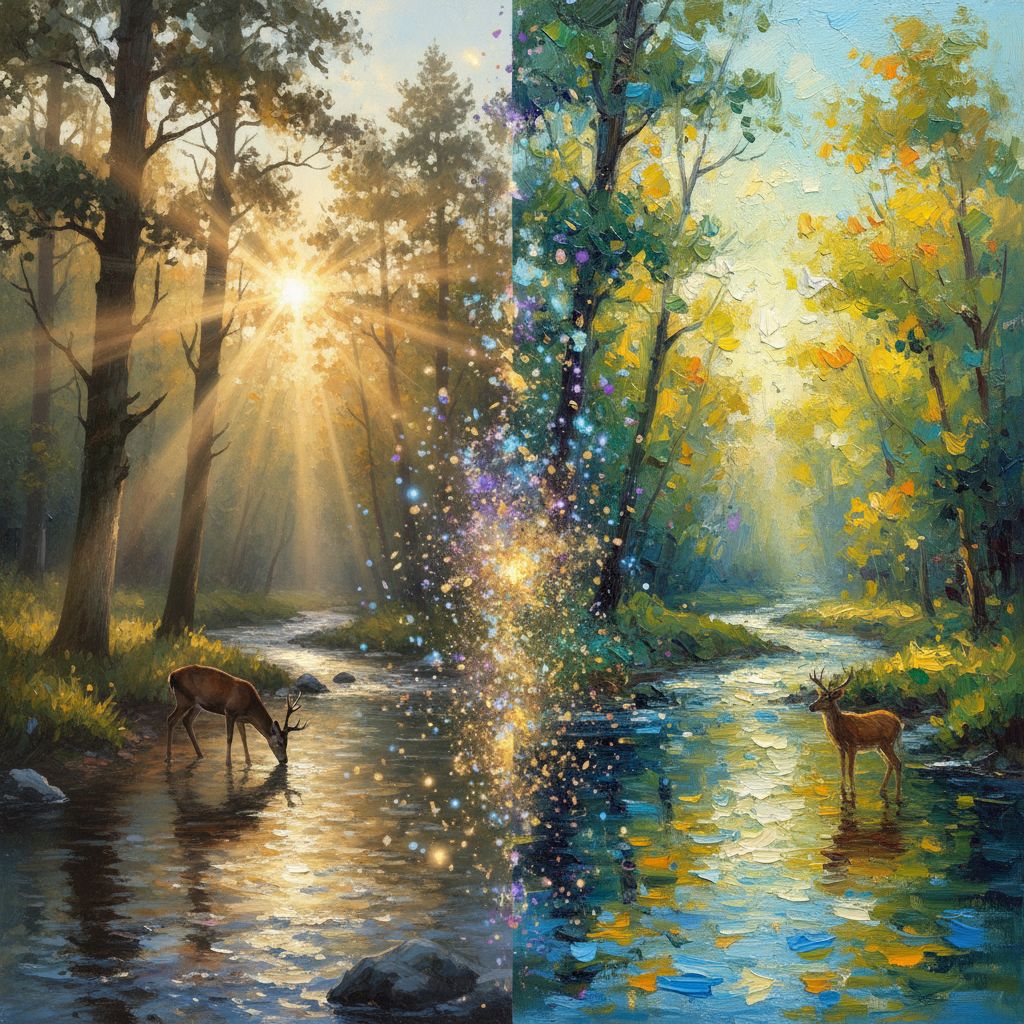
Image-to-Image (img2img) is one of the most powerful features in AI art generation. Unlike text-to-image which creates from scratch, img2img takes your existing photos or artwork and transforms them into something entirely new. Let's explore how to master this technique.
What is Image-to-Image?
Image-to-Image uses your uploaded image as a starting point. The AI analyzes the composition, shapes, and colors, then regenerates the image based on your text prompt. This allows you to:
- Convert photos into paintings
- Change the style of existing artwork
- Create variations of your images
- Fix or enhance parts of images
- Apply artistic filters beyond what Photoshop offers
Understanding Denoising Strength
The most important setting in img2img is denoising strength (also called transformation strength). It controls how much the AI changes your original image.
Denoising Strength Scale
| Strength | Effect | Best For | |----------|--------|----------| | 0.1-0.3 | Subtle changes | Color correction, minor style tweaks | | 0.4-0.5 | Moderate transformation | Style transfer while keeping composition | | 0.6-0.7 | Significant changes | Creative reinterpretation | | 0.8-0.9 | Major transformation | Using image as loose inspiration | | 1.0 | Complete regeneration | Essentially text-to-image |
Choosing the Right Strength
Low strength (0.2-0.4) when you want to:
- Preserve exact composition
- Keep recognizable subjects
- Apply subtle style changes
- Maintain specific details
High strength (0.6-0.8) when you want to:
- Dramatically change the style
- Transform the mood
- Add fantasy elements
- Create artistic interpretations
Style Transfer Techniques
Photo to Oil Painting
Transform any photo into a classical oil painting:
Original: Your photograph Prompt:
oil painting, visible brushstrokes, impasto technique, rich colors, museum quality, classical portrait style, dramatic lighting
Strength: 0.5-0.6
Photo to Anime
Convert real photos into anime style:
Prompt:
anime style illustration, cel shading, vibrant colors, clean linework, detailed eyes, Studio Ghibli inspired
Strength: 0.6-0.7
Photo to Watercolor
Create delicate watercolor effects:
Prompt:
watercolor painting, soft washes, transparent layers, wet-on-wet technique, delicate, artistic, paper texture visible
Strength: 0.5-0.6
Modern Photo to Vintage
Age your photos with classic film looks:
Prompt:
vintage photograph, 1970s aesthetic, film grain, faded colors, nostalgic, retro, Kodak Portra 400
Strength: 0.3-0.4
Creative Applications
Fantasy Transformation
Turn everyday scenes into fantasy worlds:
Urban street → Medieval village
medieval fantasy village, cobblestone streets, timber frame houses, market stalls, fantasy art, warm lighting, detailed
Modern person → Fantasy character
fantasy warrior portrait, ornate armor, magical aura, epic lighting, detailed costume, concept art style
Season Changes
Transform the season in landscape photos:
Summer → Winter
winter landscape, snow covered, frost, bare trees, cold blue tones, peaceful, crisp air, detailed snow textures
Day → Night
nighttime scene, moonlight, stars visible, cool blue lighting, mysterious atmosphere, peaceful night
Architecture Transformation
Modern building → Ancient ruin
ancient ruins, overgrown with vegetation, weathered stone, archaeological site, dramatic lighting, mysterious
House → Haunted mansion
haunted Victorian mansion, gothic architecture, dark atmosphere, fog, bare trees, horror aesthetic, ominous
Advanced Techniques
Maintaining Composition
To keep your original composition intact:
- Use lower denoising strength (0.3-0.5)
- Describe the existing composition in your prompt
- Mention specific elements you want to preserve
- Use ControlNet with Canny edge detection (if available)
Color Preservation
If you want to keep original colors but change style:
[your style prompt], maintaining original color palette, same color scheme
Face Preservation
When transforming portraits, preserve faces with:
- Lower strength on faces (0.3-0.4)
- Mention facial features in prompt
- Use face restoration post-processing
- Consider inpainting for just the background
Common Use Cases
Product Photography Enhancement
Transform basic product photos into professional shots:
professional product photography, studio lighting, clean white background, commercial quality, sharp details, advertising
Real Estate Visualization
Show potential renovations:
modern interior design, renovated space, contemporary furniture, natural lighting, architectural photography, magazine quality
Portrait Enhancement
Elevate casual photos to professional portraits:
professional portrait, studio lighting, shallow depth of field, retouched skin, natural makeup, elegant, high-end photography
Concept Visualization
Turn sketches into finished artwork:
detailed digital painting, concept art, professional illustration, refined linework, full color, polished, ArtStation quality
Troubleshooting Common Issues
Problem: Subject is Unrecognizable
Solutions:
- Lower the denoising strength
- Add subject description to prompt
- Use more specific style keywords
Problem: Style Doesn't Apply
Solutions:
- Increase denoising strength
- Add stronger style keywords
- Include artist references
- Remove conflicting terms
Problem: Weird Artifacts
Solutions:
- Adjust strength incrementally
- Use negative prompts: "distorted, deformed, blurry, artifacts"
- Try different samplers
- Ensure input image is high quality
Problem: Colors Look Wrong
Solutions:
- Mention desired colors in prompt
- Add "vibrant colors" or "natural colors"
- Use color correction keywords
Best Practices
Input Image Quality
Your results depend heavily on input quality:
- Resolution: Use at least 1024x1024 for best results
- Clarity: Avoid blurry or noisy images
- Lighting: Well-lit images transform better
- Composition: Clear subjects work best
Prompt Structure for Img2Img
[Desired style], [key elements to preserve], [mood/atmosphere], [quality keywords], [negative: elements to avoid]
Iterative Refinement
Don't expect perfection on the first try:
- Start with medium strength (0.5)
- Evaluate the result
- Adjust strength up or down
- Refine your prompt
- Repeat until satisfied
Creative Projects to Try
- Family Photo Art Gallery: Transform family photos into various art styles
- Pet Portraits: Turn pet photos into regal oil paintings
- Travel Memory Art: Convert vacation photos into watercolor postcards
- Before/After Series: Show transformations of spaces or objects
- Style Mashups: Combine multiple styles in one image
Conclusion
Image-to-Image transformation opens up creative possibilities that were impossible just a few years ago. Whether you're an artist looking for new tools or someone who wants to transform personal photos into art, mastering img2img will expand your creative horizons.
The key is experimentation—try different strengths, styles, and prompts until you develop an intuition for what works. Every image is unique, and part of the fun is discovering unexpected results.
Ready to transform your images? Upload a photo to ArtLab and see the magic of AI transformation!